3 Easy step to connect
1
Download and install
Download and install the client application for your cad application Download
2
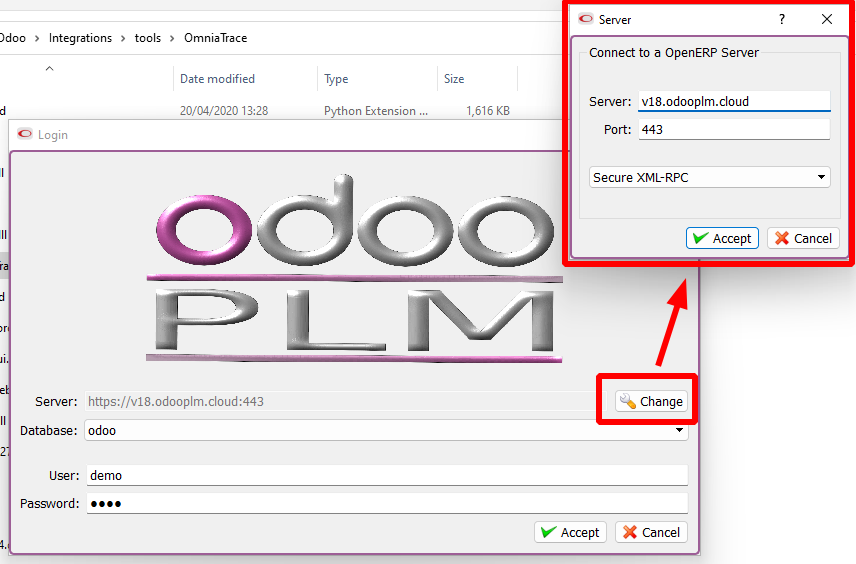
Connect to the cloud server
Click the login button inside the client application using the following credential
- User demo
- Password demo
- Server v18.odooplm.cloud
- Port 80
- Database odoo
- Protocol secure-xml-rpc
3
Start testing
Follow the documentation/ video to learn the software